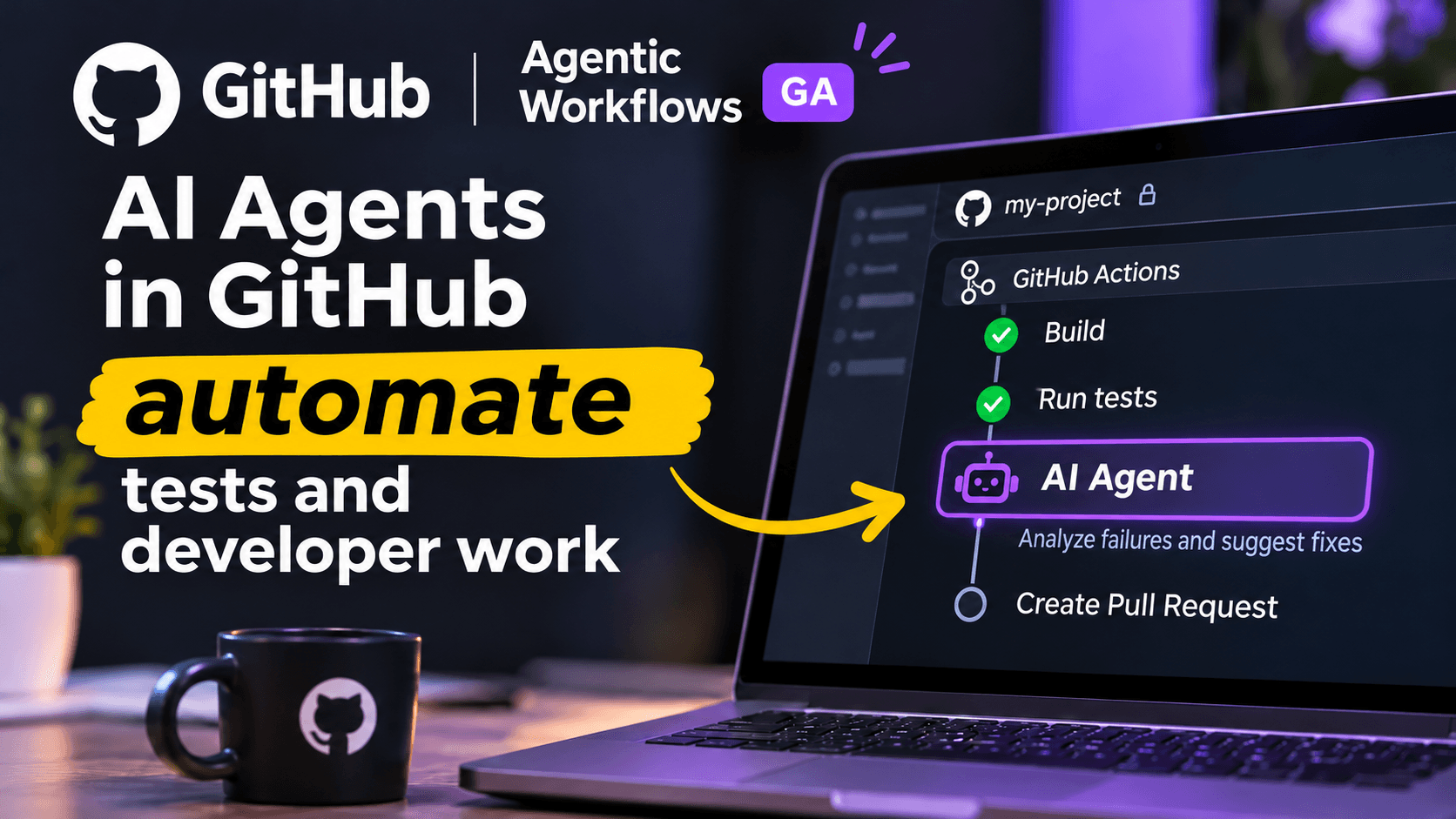
Instead of manually programming every step of a process, developers can describe what they want an AI agent to accomplish using natural language in a Markdown file.
For example, AI agents can be used to:
Analyze failed tests in continuous integration pipelines.
Identify potential causes of software errors.
Suggest additional unit tests.
Support code reviews and Pull Request analysis.
Update technical documentation.
Analyze and categorize bug reports.
Generate reports about repository activity.
The AI agent executes its tasks within the GitHub Actions environment using the tools and permissions available to it.
Interestingly, the technology is not limited to GitHub Copilot. Other AI engines, including OpenAI Codex, Claude Code, and Google Gemini, can also be supported.
This flexibility allows development teams to choose technologies that best match their requirements.
How Does GitHub Agentic Workflows Work?
The basic concept is relatively straightforward, although several advanced technologies operate behind the scenes.
First, a developer creates a Markdown file describing the task that should be performed and the configuration of the automation.
The file contains two main sections.
The first section includes YAML configuration, which defines when the workflow should run, which permissions are required, and what tools are available.
The second section contains natural-language instructions explaining what the AI agent should accomplish.
The definition is then compiled into a standard GitHub Actions workflow using the following command:
gh aw compile
Once the workflow starts, the AI agent receives the necessary context and begins processing the assigned task.
Let's consider a practical example.
A developer modifies the source code of a web application and pushes the changes to a GitHub repository.
This triggers a continuous integration pipeline that automatically executes several software tests.
Unfortunately, one of the tests fails.
In a traditional development process, a developer or QA engineer would need to inspect the execution logs, identify the cause of the failure, and determine what actions should be taken.
With GitHub Agentic Workflows, an AI agent can assist with this investigation.
The agent can examine test results, review relevant sections of the source code, and provide a possible explanation for the failure.
Depending on the workflow configuration, it may also suggest code changes that can subsequently be reviewed by a developer.
This is an example of a possible implementation rather than a guarantee that every software issue can be identified or resolved automatically.
The effectiveness of an AI agent depends on its configuration, the context available to it, and the complexity of the problem.
GitHub Agentic Workflows and Software Test Automation
One of the most interesting applications of this technology is software quality assurance.
Automated testing has been an essential part of modern software development for many years.
Tools such as Playwright, Cypress, and Selenium enable teams to verify application behavior without manually executing every test scenario.
However, running automated tests is only one part of the testing process.
QA engineers must also analyze results, maintain test cases, identify flaky tests, and ensure that applications have adequate test coverage.
This is where AI agents introduce particularly interesting possibilities.
1. Automated Analysis of Failed Tests
An AI agent can analyze test execution logs and results generated by GitHub Actions.
Instead of receiving only a notification that a test has failed, developers and testers can obtain additional information about potential causes.
For example, an AI agent might identify that a test started failing after an element in the user interface was renamed.
Alternatively, it could recognize that a test script is attempting to interact with an element that no longer exists.
Such analysis can potentially reduce the time engineers spend investigating failures.
It can also help teams distinguish between genuine application defects and issues related to test implementation.
However, AI-generated explanations should always be verified before making changes to the application or test suite.
2. AI-Assisted Test Case Generation
Another interesting application involves analyzing source code changes and recommending additional test cases.
Imagine that a developer introduces a new feature responsible for calculating discounts in an e-commerce application.
An AI agent could examine the modified code, inspect existing tests, and suggest additional scenarios.
For example, it might recommend testing:
Discount calculations with minimum and maximum values.
Invalid discount percentages.
Multiple discounts applied to the same order.
Empty shopping carts.
Unexpected user inputs.
Boundary conditions and rounding errors.
Depending on the configuration, the AI agent may also prepare proposed test implementations.
This can be particularly useful when working with large applications containing hundreds or thousands of existing test cases.
Nevertheless, developers and QA engineers must verify that AI-generated tests accurately reflect business requirements.
A technically correct test is not necessarily a meaningful test.
3. Identifying Potential Gaps in Test Coverage
AI agents can also support the identification of application areas that may not have been tested sufficiently.
By examining existing tests, source code modifications, and available coverage reports, an agent can suggest scenarios that deserve additional attention.
For example, if a developer introduces new validation logic but does not update the corresponding unit tests, an AI agent may recommend extending the test suite.
This type of assistance becomes especially interesting in large software projects where maintaining comprehensive test coverage requires significant effort.
However, an AI agent does not replace specialized code coverage tools and cannot guarantee that every missing test scenario will be identified.
Instead, it should be treated as an additional source of analysis and recommendations.
Does GitHub Agentic Workflows Replace GitHub Actions?
No, and this is an important distinction.
GitHub Agentic Workflows does not replace GitHub Actions. Instead, it extends the existing automation platform with AI-powered capabilities.
Traditional GitHub Actions workflows remain highly effective for tasks such as:
Building and compiling applications.
Running automated tests.
Performing static code analysis.
Deploying software.
Executing predefined CI/CD processes.
These activities typically require predictable and reproducible results.
AI agents, on the other hand, can assist with tasks that require interpretation, contextual understanding, and decision-making.
A good example is the difference between executing software tests and investigating why those tests failed.
GitHub Actions can automatically run a Playwright test suite.
An AI agent can then analyze the results and suggest possible reasons for a failed test.
The two technologies complement each other, allowing development teams to create more advanced automation processes.
This combination represents an important direction for the future of software engineering.
AI Agent Security: Can We Trust the Technology?
One of the biggest challenges associated with AI agents is security.
Access to a software repository may allow an agent to examine source code, configuration files, and other sensitive technical information.
For this reason, GitHub Agentic Workflows incorporates multiple security mechanisms.
AI agents operate with read-only permissions by default, and their execution takes place in an isolated environment.
Additionally, the Safe Outputs mechanism helps control actions that may modify repository resources, such as creating Issues or Pull Requests.
The platform also incorporates security measures designed to detect and reduce potential threats.
However, these protections do not eliminate every possible risk.
AI models can make mistakes, misunderstand instructions, or be influenced by malicious content included in the information they process.
For example, an attacker could attempt to manipulate an AI agent through instructions embedded in repository content or external data.
This type of attack is commonly known as prompt injection.
For organizations using AI agents in production environments, several security practices remain essential:
Follow the principle of least privilege.
Restrict access to sensitive information.
Review proposed changes before merging them.
Monitor workflow execution and associated costs.
Maintain appropriate human oversight.
AI agents can provide valuable assistance, but they should not be given unrestricted access to critical systems.
How to Get Started with GitHub Agentic Workflows
GitHub Agentic Workflows is available on GitHub.com for users of Free, Team, and Enterprise plans.
To get started, you need a GitHub repository with GitHub Actions enabled, GitHub CLI, and access to a supported AI engine.
The first step is to install the GitHub Agentic Workflows extension:
gh extension install github/gh-aw
Next, initialize the configuration in your repository:
gh aw init
You can then create a Markdown file describing the task that the AI agent should perform or start with an existing workflow template.
After preparing the definition, compile the workflow using:
gh aw compile
This generates a .lock.yml file that should be committed to the repository alongside the original Markdown definition.
Once authentication, permissions, and workflow triggers have been configured, the automation can run through GitHub Actions.
It is important to understand that the general availability of GitHub Agentic Workflows does not mean that every AI execution is free.
Using GitHub Copilot as the AI engine requires an appropriate license, while AI model usage and execution infrastructure may generate additional costs depending on the configuration.
For detailed setup instructions, refer to the official GitHub Agentic Workflows documentation.
Will AI Agents Change the Work of Developers and QA Engineers?
In my opinion, GitHub Agentic Workflows provides a clear indication of where modern software development tools are heading.
Until recently, artificial intelligence in programming was primarily associated with generating code snippets, explaining errors, and suggesting individual functions.
Today, AI systems are increasingly capable of supporting complete workflows, interacting with different tools, and analyzing the outcomes of their actions.
For software developers, this creates opportunities to automate repetitive tasks and spend more time solving complex technical problems.
For QA engineers, AI agents may become particularly valuable when analyzing test results, generating additional test scenarios, and maintaining automated test suites.
However, I do not believe that technologies such as GitHub Agentic Workflows automatically mean the end of software development or software testing careers.
Quite the opposite.
The responsibilities associated with these professions may gradually evolve.
Skills such as designing effective automation processes, validating AI-generated results, and understanding business requirements could become even more important.
AI may handle an increasing number of technical tasks, but responsibility for software quality, security, and reliability remains with development teams.
The real advantage will come from understanding how to combine human expertise with AI-powered automation.
The Future of AI in Software Development
GitHub Agentic Workflows is part of a broader shift toward agent-based software engineering.
Instead of interacting with AI exclusively through chat interfaces, developers can increasingly integrate AI systems directly into their existing tools and processes.
This creates opportunities for more intelligent CI/CD pipelines, automated code maintenance, and continuous quality improvement.
Imagine a software development environment where AI agents can monitor test results, investigate suspicious failures, suggest improvements, and prepare proposed changes for human review.
Such workflows could potentially reduce time spent on repetitive tasks while allowing engineers to focus on architecture, business logic, and complex problem-solving.
Of course, building reliable agent-based systems requires careful planning.
Organizations must consider security, reliability, costs, monitoring, and the limitations of current AI models.
Nevertheless, GitHub Agentic Workflows demonstrates how AI can move beyond simple assistance and become an active component of software engineering processes.
Conclusion
GitHub Agentic Workflows is another example of how rapidly artificial intelligence is evolving within the software development industry.
The ability to define automation tasks using natural language, integrate AI agents with GitHub Actions, and work with different AI engines introduces new opportunities for both developers and software testers.
Particularly interesting use cases include analyzing failed CI tests, suggesting additional test cases, and preparing proposed code changes based on the current state of a repository.
This does not mean that these processes are already completely autonomous or error-free.
However, the direction is becoming increasingly clear: artificial intelligence is evolving from a tool that simply answers questions into an active participant in real software development workflows.
GitHub Agentic Workflows is therefore a technology worth following, especially for professionals working with test automation, DevOps, and AI-assisted development.
As AI agents continue to improve, they may significantly influence how software teams organize and perform their daily work.
What do you think? Would you use an AI agent to investigate software failures or generate automated tests in your own project?
Sources